How to Automate Customer Service Without Losing the Human Touch
AI automates customer service by handling routine inquiries through chatbots and automated ticketing while humans manage complex issues. This hybrid approach reduces costs by 40-60% while keeping customers satisfied. Learn how to implement it step by step.
3/18/20267 min read
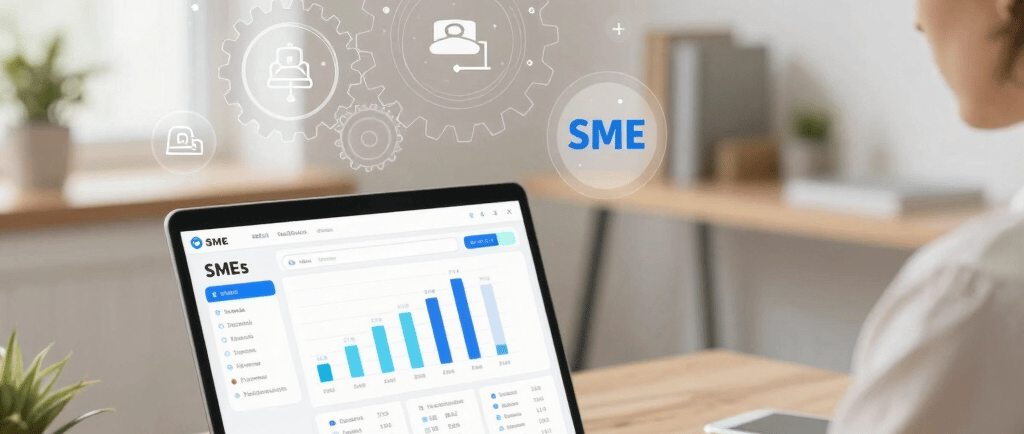

AI automates customer service by handling routine inquiries through chatbots and automated ticketing while humans manage complex issues, maintaining personalized support. This hybrid approach reduces costs by 40-60% while keeping customers satisfied.
Why Should SMEs Automate Customer Service?
Your customer support team is likely drowning in repetitive work. Every day brings the same questions about billing, product features, and account access—questions that don't require your best people to answer.
Manual support doesn't scale. When you're running a 5-50 person operation, customer service becomes a bottleneck. Your team spends time on "What are your business hours?" when they could be solving real problems. You either hire more staff (expensive and slow) or watch response times slip (bad for retention).
AI automation fixes this mismatch. By handling routine inquiries automatically, you free your team to focus on customers who truly need human attention—those with complex issues or strategic questions.
The business case is compelling: 40-60% reduction in support costs through automation of routine inquiries, ROI in 2-4 months for most SMEs implementing basic AI chatbots, 24/7 availability without paying for night shift staff, faster resolution times (customers get instant responses, not a queue), and better employee morale when your team isn't burnt out answering FAQs.
According to Zendesk's 2026 CX Trends Report, 81% of consumers now see AI as a normal part of modern customer service. They expect it. Your competitors are likely already using it.
What Customer Service Tasks Can AI Actually Handle?
AI can handle 60-80% of routine inquiries without human intervention. The key word is "routine"—not everything should be automated, but most common requests can be.
AI handles these tasks well: Account and billing questions ("How do I check my invoice?"), Product information requests ("Which plan includes feature X?"), Order tracking and status updates, Policy clarifications ("What's your refund policy?"), Appointment scheduling (booking, rescheduling, confirmations), Form filling and data collection, FAQ routing (directing customers to knowledge base articles), and Ticket categorization (automatically tagging issues for the right team).
AI struggles with these (send to humans): Complaints and escalations (requires empathy and judgment), Custom requests (unusual problems needing creative solutions), Sensitive situations (refunds for angry customers, contract negotiations), Complex technical troubleshooting, and Relationship building (high-value customers, VIPs).
The sweet spot for SMEs is starting with FAQ automation and simple ticketing. These typically make up 50-70% of your support volume but only 10-20% of the complexity. A SaaS company with 100 daily support requests might find that 70 are routine (password resets, feature questions, billing). That's 70 conversations your AI can handle instantly. Your team focuses on the 30 complex cases where they actually add value.
Will AI Replace Human Customer Service Completely?
No. AI that tries to handle everything ends up being frustrating and impersonal. Customers get stuck in loops. Issues don't resolve. Your brand suffers.
The future isn't "replace humans with AI." It's a hybrid model: AI handles the easy stuff instantly, escalates to humans when it needs to, and humans focus on what they do best—building relationships and solving hard problems.
This hybrid approach actually improves the human experience. Your team starts conversations with full context (AI has already gathered details), handles fewer repetitive tickets (more time per customer), can focus on relationship-building instead of data entry, and feels less burnt out (morale improves).
Real-world example: Sarah runs a 15-person ops team at a B2B SaaS startup. Before AI: 120 support tickets per day, 18-hour average response time, team was exhausted. After AI customer service (6 months): AI handles 70 routine tickets automatically, humans receive 50 tickets with full context pre-gathered, average response time is 2 hours, NPS increased from 42 to 58, turnover stopped. The AI didn't replace anyone. It freed them to do better work.
What Does an AI-Powered Customer Service Setup Look Like?
An effective system has three layers: AI first contact, hybrid escalation, human expertise.
Layer 1: AI First Contact. A chatbot meets customers at the first touchpoint (your website, email, messaging app). It asks clarifying questions, checks your knowledge base, and solves simple issues instantly.
Layer 2: Smart Escalation. If the AI detects a more complex issue (certain keywords, unresolved attempts, explicit request for human), it automatically creates a ticket, adds conversation history, tags with priority and category, and routes to the right team member.
Layer 3: Human Ownership. Your team receives a fully-prepared ticket. They don't re-ask questions. They have context. They can solve the issue 2-3x faster.
Before vs. After comparison: Daily tickets handled stays the same (120), but AI handles ~85 of them automatically. Average resolution time drops from 18 hours to 2-4 hours (4-9x faster). Cost per ticket drops 75% from $8-12 to $2-3. First-contact resolution jumps from 35% to 68%. Customer satisfaction rises from 72% to 86%.
How Much Does AI Customer Service Cost for a Small Business?
The short answer: $200-$800/month for most SMEs starting out. ROI in 2-4 months.
AI Chatbot/Ticketing Software: Basic tier (Zendesk, Intercom, HubSpot): $50-300/month. Dedicated AI layer (custom chatbot, Zapier integration): $100-400/month. Combined reasonable setup: $200-500/month.
Implementation and Setup: DIY approach: $0, takes 2-4 weeks. Professional setup (agency): $2,000-5,000 one-time. Ongoing optimization (optional): $300-800/month.
For a 15-person team spending $120/day on support ($36,000/year): Before AI: 15 people, ~$36,000/year in support labor. After AI: 8 people + $500/month software = ~$21,000/year total. Savings: $15,000/year (41% cost reduction). Implementation cost: $3,000 one-time. Payoff: 2.4 months.
How Do You Implement AI Customer Service Step by Step?
You don't need to overhaul your entire operation at once. The best implementation is gradual, testing as you go.
Phase 1: Audit and Plan (Week 1-2). Log your support channels (email, chat, phone), categorize your last 100 tickets by type, identify the top 10-15 repetitive questions, calculate your current cost per ticket ($10-15 for most SMEs), and define what "success" looks like.
Phase 2: Choose Your Platform (Week 2-3). Simple chatbot options (Tidio, Drift, Intercom): Best for getting started fast with AI built in and no coding required. Robust systems (Zendesk, HubSpot Service Hub): Better if you need advanced routing, analytics, and CRM integration. Our recommendation for most SMEs: Start with Intercom or Zendesk's basic tier.
Phase 3: Build Your Bot Knowledge Base (Week 3-4). Compile your top 30-50 FAQ questions, write clear concise answers (1-2 sentences usually), include links to articles when relevant, and tag each question with categories (billing, technical, feature). Takes 3-4 hours of work.
Phase 4: Integration and Testing (Week 4-5). Connect your chatbot to your website, set up escalation rules (when to send to humans), test with your team (send 50-100 test tickets), and refine responses based on what humans are seeing.
Phase 5: Soft Launch (Week 5-6). Announce to 25% of customers (A/B test), monitor conversations and refine responses, watch for escalation patterns, and measure response time improvement.
Phase 6: Full Launch and Optimization (Week 6+). Roll out to all customers, monitor the metrics (resolution rate, satisfaction, costs), adjust escalation rules based on real data, add new questions to your knowledge base monthly, and retrain your AI quarterly.
Common mistakes to avoid: Over-automating (aim for 60-70%, not 100%), poor knowledge base (garbage in, garbage out), ignoring escalations, no monitoring (you need weekly check-ins first month), and not communicating to your team why this is happening and how it helps them.
What Results Can You Expect?
Cost Metrics: 40-60% reduction in support labor costs within 3-4 months. Typical ROI: 150-250% in year one. Cost per ticket drops from $8-12 to $2-4. 30-50% reduction in support team size needed (through attrition, not layoffs).
Speed Metrics: Average response time drops from 18 hours to 15 minutes. First-contact resolution rate improves from 35% to 65-70%. Time to resolve for human-handled tickets: 4 hours to 2 hours.
Satisfaction Metrics: CSAT improvement of +8-14 points. NPS improvement of +5-12 points. According to Zendesk's recent CX trends: 81% of consumers now expect AI as part of modern customer service, 74% expect 24/7 support availability, and AI-enabled teams resolve 2.3x more tickets per person than manual-only teams.
Frequently Asked Questions
Will customers be upset that they're talking to a bot? Not if you're transparent about it and the experience is good. In fact, 81% of consumers expect AI in modern service. Most customers don't care if they're talking to a bot—they care if they get their problem solved fast. An AI that resolves their issue in 30 seconds beats a human who takes 6 hours.
What if the AI doesn't understand a question? Good AI chatbots are designed to recognize when they don't know something and escalate to a human automatically. The human gets context (what the bot tried, what the customer asked). It's actually smoother than having a customer repeat themselves to different agents.
How long does it really take to implement? 4-6 weeks from decision to launch. Most of this is building your knowledge base and testing. The software setup itself takes a few hours. You can go live with a basic version in 2-3 weeks if you're willing to refine as you go.
Can I automate if I'm in a highly specialized industry? Yes, but maybe not 60-80% of your volume. You might only automate 30-40% of routine procedural stuff. But that 30-40% still saves you meaningful time and costs. Start with what's clearly routine in your industry.
What happens if the AI makes a mistake? It gets caught either by another bot check or by a human who sees it during escalation. You log the mistake, refine the knowledge base, and it improves. Unlike humans who make the same mistake repeatedly, AI learns system-wide fixes.
Ready to Transform Your Customer Service?
You now understand how AI customer service actually works—not as a replacement for your team, but as a force multiplier. You handle the same (or more) customer volume with less cost, faster response times, and better satisfaction.
The businesses that are ahead aren't the ones with more staff. They're the ones who've automated routine work and focused their team on what actually matters—building relationships and solving hard problems.
Your next step: Audit your tickets. Spend 2 hours this week categorizing your last 100 support tickets. You'll instantly see what's automatable. Then calculate your ROI using the costs and metrics in this article. Most SMEs find they'll break even in 2-4 months.
We offer a no-pressure 30-minute call where we audit your current support setup, show you exactly what's automatable in your business, calculate your specific ROI, and map out a 6-week implementation plan.
Modern Minds
AI automation consulting for ambitious SMEs. We help your team achieve more — freeing them from repetitive work to focus on what drives growth.
Contact
GET STARTED
info@modern-minds.ai
© 2026 Modern Minds. All rights reserved.